
IRON NEST Mods Guide
By Iron Nest Wiki Team · August 12, 2026 · Updated August 12, 2026 · 9 min read
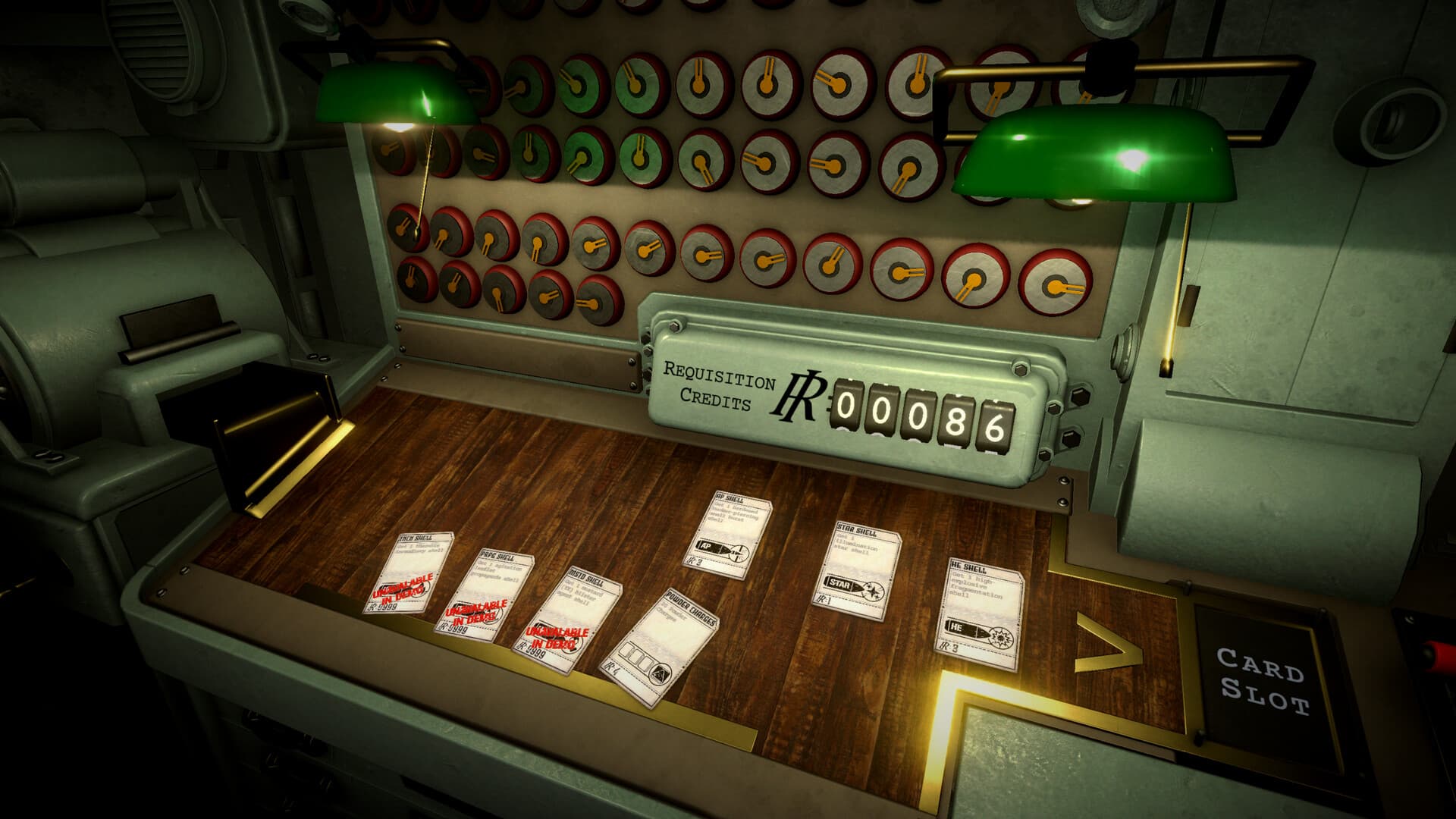
IRON NEST: Heavy Turret Simulator has a thriving modding community. Despite being a relatively new release, the game already has dozens of mods on Nexus Mods ranging from quality-of-life improvements to full co-op multiplayer implementations. This guide covers the best mods, how to install them, the mod loaders you need, and what to expect from the modding scene.
Mods are useful, unofficial, and — as with any modded game — potentially fragile. Always back up your save files before installing mods, and be aware that game updates may break mod functionality until the mod author updates their work.
Mod loaders: BepInEx and MelonLoader
Most IRON NEST mods require a mod loader to function. The two primary loaders used by the community are:
- BepInEx 6 — The IL2CPP bleeding-edge build is required for most mods. Built and tested against version 6.0.0-be.785.
- MelonLoader — Alternative loader used by some mods, particularly earlier ones. Version 0.8.0-ci.2548 with IL2CPP support is the current standard.
Some mods are loader-specific, while newer mods like Open Nest Co-op support both loaders. The “BepInEx MelonLoader Loader” by Tong317 even allows BepInEx 6 to run MelonLoader mods, bridging the two ecosystems.
Top mods by category
Co-op & Multiplayer
The most popular and impactful mods for IRON NEST are co-op implementations, since the base game is single-player only.
- Iron Nest Co-op (Jager2251) — 15 endorsements, 6,000+ downloads. The most popular co-op mod, supporting up to 5 players over Steam with host-authoritative firing and full station synchronization.
- Synchrony (VodRackR) — 9 endorsements, 1,300+ downloads. Early co-op mod using MelonLoader. Originally for Demo v0.4.0.
- Open Nest Co-op (Tong317) — Cross-loader support for both BepInEx and MelonLoader with full Steamworks integration.
- VR. Co-op. PvP. (t3hBlah64) — 2 endorsements, 359 downloads. VR multiplayer with up to 3 other players in the same nest, or split between 2 nests for PvP. Crossplay with flatscreen players.
Automation & Quality of Life
These mods streamline the complex calculations and repetitive tasks that make up IRON NEST’s core gameplay.
- Fire Control System (svr2kos2) — 11 endorsements, 506 downloads. Automatic calculation, loading, aiming, and firing. Allows you to focus solely on measurement.
- Fire Control System - Smart (hysonMod) — Automated fire control with queue missions, live FCS HUD, replan with F9, and optional Auto Fire.
- Iron Nest Aide (WEEZER123) — External artillery calculator with ballistic solver (auto charge/elevation), coordinate triangulation from pasted observer reports, clipboard listener, and always-on-top Battle Report window. No memory reading, no injection.
- Vertical Bearing Mod (kai481) — Calculates the vertical bearing on clipboard next to the distance.
- Accurate Scouts (extraflake) — Makes scouts report bearings accurately, without the 0.5 degree error margin.
Gameplay Tweaks
- Artillery Speed - Adjustable Reload and Aiming Speed (N3M0T8000) — 2 endorsements, 365 downloads. Speeds up turret rotation, gun elevation and reloading. Press F8 to set your own speed multiplier from 0.1x to 10x. Default is 4x.
- Turret Optimization (kmyuhkyuk) — Adds keyboard support for the turret console, custom animation speed, and unlocks the Elevation Slider during Reloading.
- IronNestBearingControl (EightySixFan) — Adds a physical panel for entering an azimuth and automatically rotating the turret. Press F5 to show or hide.
- Enemy Tracker (kevstep) — 2 endorsements, 551 downloads. Single-player quality-of-life mod that highlights enemy and ally entities.
Cheats & Sandbox
- Infinite Requisition Points (Pyramidyes) — 5 endorsements, 357 downloads. Gives infinite requisition points to use.
- Atomic Annihilation (Blackworths) — 171 downloads. ATMC shells now cost only 20 req, with no 1-round restriction. Unleash the beast.
- Iron Nest Dev Cheats (acalhoun78) — Map reveal, ally god mode, requisition points, shell spawns. For MelonLoader.
Cosmetic & Audio
- Custom Cat (vZVXv) — Custom cat mod for your companion.
- Custom Records / Custom Record and Albums (svr2kos2, Kurukimyevitoz) — Play your favorite audio in-game. Create your own record or album.
- MapDrawer (wrothmonk) — Allows saving and loading of drawings on the tactical map. Also supports importing JSON for precise art creation.
Utility Mods
- Deja’s misc. mod (dejaflopper) — Previously an APHE shell mod, now includes many game-changing features with customizable settings.
- ARCHIVED - Additional Requisitions (2MuchCastileRND) — The author is pursuing a different mod direction for the full release.
How to install mods
Most mods follow a similar installation pattern. Here is the general process:
- Download and install a mod loader (BepInEx 6 IL2CPP or MelonLoader).
- Download the mod from Nexus Mods.
- Open your game folder: Steam → Right-click IRON NEST → Manage → Browse local files.
- For BepInEx mods: Copy the mod DLL to
BepInEx/plugins/. - For MelonLoader mods: Copy the mod to the appropriate MelonLoader folder.
- For standalone packages: Extract the complete package contents into the game folder.
- Launch the game through Steam.
Linux/Proton note: For BepInEx on Linux via Proton, add WINEDLLOVERRIDES="winhttp.dll=n,b" %command%to your game’s Launch Options in Steam.
Mod compatibility warnings
The modding scene for IRON NEST has some important compatibility considerations:
- Loader split: Some mods use BepInEx, others use MelonLoader. Do not assume they can be installed together unless explicitly stated (like Open Nest Co-op).
- Version updates: Game patches can break mods. Check the mod page for the last update date and game version compatibility.
- Co-op mod versions: Synchrony was built for Demo v0.4.0 and may not work with the full release. Jager2251’s co-op mod is explicitly updated for the full release.
- Online play: Only use mods in single-player or with friends who also have the same mods. Using mods in public multiplayer may result in bans or desync issues.
Where to find mods
The primary source for IRON NEST mods is Nexus Mods. As of August 2026, there are 25+ mods available across the Miscellaneous category. The community is active, with new mods appearing daily.
You can also find mod discussions and support on the IRON NEST Steam Community forums, the official Discord, and GitHub repositories for open-source mods.
Creating your own mods
IRON NEST is built in Unity using IL2CPP, which means modding requires some technical knowledge. The community has established tools and workflows:
- BepInEx 6 for IL2CPP is the standard framework for code injection.
- MelonLoader provides an alternative path for mod development.
- Many mod authors share their source code on GitHub for others to learn from.
If you are interested in creating mods, start by examining existing open-source mods and the BepInEx/MelonLoader documentation. The IRON NEST Discord community is also a helpful resource for aspiring modders.
Frequently asked questions
Are mods safe to use?
Most mods from Nexus Mods are scanned for viruses and marked as safe. However, always download from trusted sources and back up your saves. Mods can potentially corrupt save files or cause crashes.
Will mods disable achievements?
This depends on the mod and how it interacts with the game. Single-player quality-of-life mods typically do not affect achievements, but cheat mods might. There is no official statement from the developers on this matter.
Can I use multiple mods at once?
Yes, but compatibility varies. Mods using the same loader (BepInEx or MelonLoader) generally work together, but mods that modify the same game systems may conflict. Test combinations carefully.
Do mods work with the demo?
Some mods were built specifically for the demo version and may not work with the full release. Always check the mod description for version compatibility. The demo is no longer available as of the full release.
Will official mod support be added?
The developers have not announced official mod support or Steam Workshop integration. The current modding scene relies on community tools like BepInEx and MelonLoader.